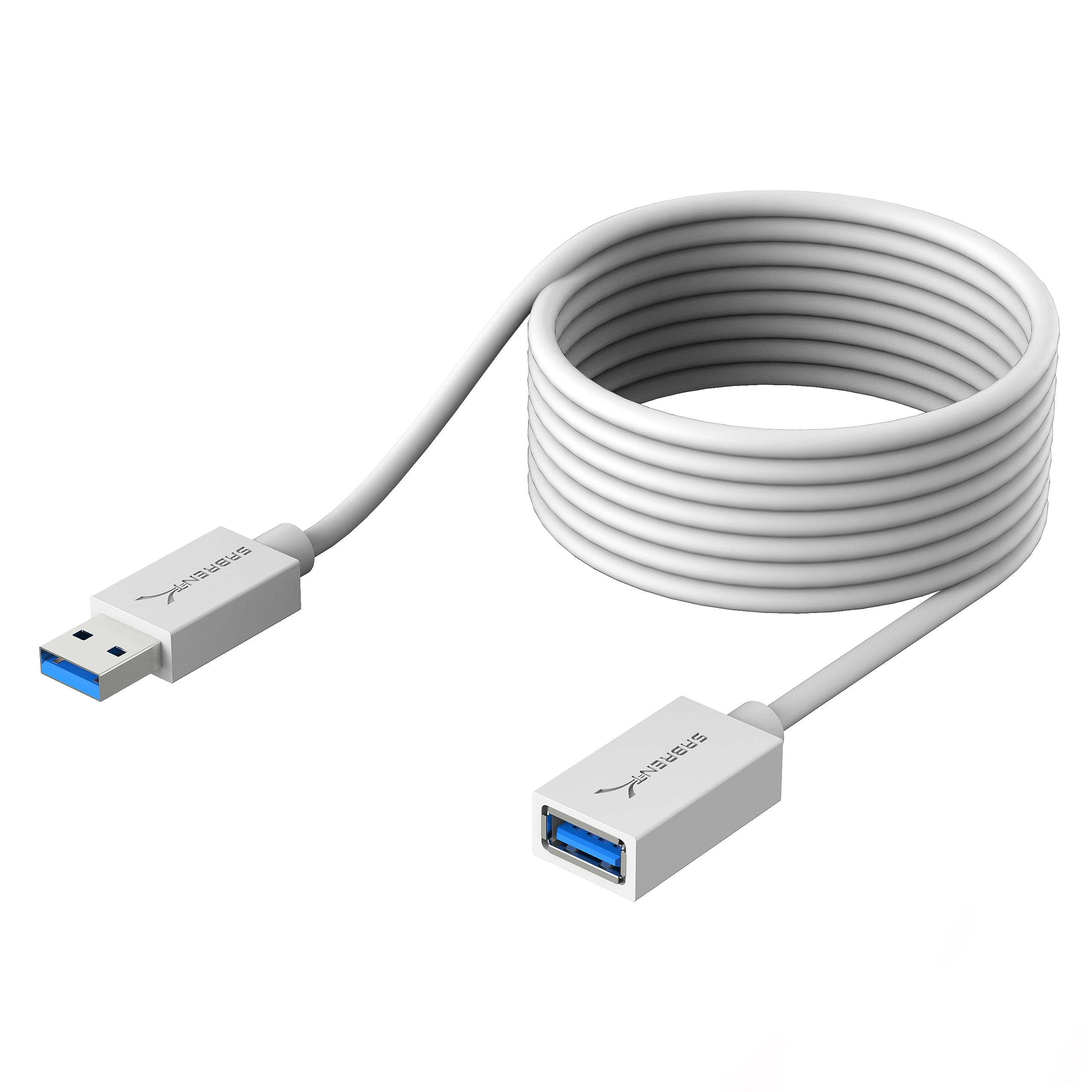
The SABRENT USB 3.0 Extension Cable review is for anyone whose computer or Windows tablet sits just out of reach of a USB peripheral.
This 10-foot, USB-A male-to-female extension is designed to connect USB 3.0 and USB 2.0 devices while preserving compatibility with older peripherals.
SABRENT Extension Cable Review Summary
The quick verdict
16,000+ ratings
Read Amazon ReviewsSABRENT USB 3.0 Extension Cable
A practical choice for adding up to 10 feet between a computer or Windows tablet and compatible USB peripherals.
- 10-foot cable with a USB-A male connector on one end and USB-A female connector on the other.
- Designed to extend connections between a computer or Windows tablet and USB peripherals.
- Supports USB 3.0 SuperSpeed data transfer rates of up to 5 Gbps.
- Backward compatible with USB 2.0 devices.

Pros
- Adds substantial distance between a USB-A host and an accessory.
- Works with both USB 3.0 and USB 2.0 peripherals.
Consider before buying
- Both ends are USB-A, so this is not the direct choice for a USB-C-only host or peripheral.
- Its 10-foot reach can leave extra cable to route or manage in a compact setup.
Read the full review summary
This cable addresses a straightforward problem: a short gap between a host device and a USB accessory.
Its USB-A male plug connects to the computer or tablet, while its female end gives a peripheral such as an external hard drive, hub, mouse, keyboard, flash drive, or printer more room.
The white, 10-foot cable can be useful when the device must stay near a desk, shelf, or workspace but the computer cannot.
The data description specifies SuperSpeed USB 3.0 transfer rates up to 5 Gbps and backward compatibility with USB 2.0 peripherals.
That maximum is a USB 3.0 capability, not a promise that every attached device or setup will transfer at that speed.
The cable is best suited to buyers who need a simple extension for USB-A devices and have checked that both connector ends and the intended placement fit their setup.
The buying factors
SABRENT Extension Cable Scorecard
Editorial scores reflect listed features and buyer fit; they are not laboratory measurements or customer ratings.
Reach for placement
A 10-foot length offers useful flexibility for positioning peripherals farther from a computer or tablet.
USB-A peripheral fit
The male-to-female USB-A layout serves as a direct extension for a broad range of listed peripherals.
USB 3.0 data potential
The specified maximum of up to 5 Gbps suits USB 3.0 connections, subject to the host and peripheral.
Older-device compatibility
Backward compatibility makes the cable relevant to USB 2.0 accessories as well as USB 3.0 devices.
Signal shielding
Shielding is designed to limit electromagnetic and radio-frequency noise, a useful construction detail for a long run.
Use-case versatility
The listed examples range from input devices and storage to hubs and printers.
Key Features and Specifications of SABRENT Extension Cable
- 10-foot cable with a USB-A male connector on one end and USB-A female connector on the other.
- Designed to extend connections between a computer or Windows tablet and USB peripherals.
- Supports USB 3.0 SuperSpeed data transfer rates of up to 5 Gbps.
- Backward compatible with USB 2.0 devices.
- Listed uses include hard drives, USB hubs, mice, keyboards, flash drives, and printers.
- Shielding is designed to reduce noise from electromagnetic and radio-frequency signals.
- White finish; model CB-301W.
Pros and Cons of SABRENT Extension Cable
Pros
- Adds substantial distance between a USB-A host and an accessory.
- Works with both USB 3.0 and USB 2.0 peripherals.
- The female USB-A end can accept a range of familiar devices and cables.
- Shielding is intended to help limit signal interference.
Consider before buying
- Both ends are USB-A, so this is not the direct choice for a USB-C-only host or peripheral.
- Its 10-foot reach can leave extra cable to route or manage in a compact setup.
- The up-to-5-Gbps figure is a maximum; actual transfer capability depends on the connected equipment and configuration.
Who Should Buy SABRENT Extension Cable?
Good fit
Consider this cable if an existing USB-A connection needs more reach for a stationary peripheral. The 10-foot length is useful when the computer is tucked under a desk or placed away from a printer, hub, or other accessory.
It lets the host and peripheral sit where they are convenient without requiring the peripheral to be next to the computer.
It also makes sense when you have a mix of USB 3.0 and USB 2.0 devices and want one extension type for either generation.
Before choosing it, check the ports at both ends: this cable extends a USB-A connection, so a USB-C-only device would need a suitable connection solution.
Consider the route from host to accessory, too, especially if the cable must pass around furniture or across a busy area.
For data-heavy use, treat the 5-Gbps specification as an upper limit rather than an expected result for every device. The host port, peripheral, and any intervening equipment influence the connection.
If the goal is simply to put a mouse, keyboard, flash drive, or printer within easier reach, the specific top speed may matter less than confirming the connector type and cable path.
Who should skip it
Skip this model if your setup needs USB-C connectors at either end, a shorter cable for a close arrangement, or a different connector standard. Check the ports on both the host and peripheral before buying.
If you need a guaranteed transfer rate for a particular storage device or a more specialized installation, confirm the full connection path and device requirements first; this cable’s stated maximum alone cannot establish the speed of an entire setup.
How the SABRENT Extension Cable Fits a USB Setup
A direct way to add distance
The male-to-female USB-A arrangement makes the product an extension rather than a replacement device cable: its male end plugs into the host, and its female end provides a port farther away.
That layout is useful when the existing accessory cable or device position does not quite reach. The 10-foot length gives room to reposition equipment, though the available route and cable management should guide placement.
USB 3.0 and USB 2.0 together
The stated compatibility with USB 3.0 and USB 2.0 helps this extension cover both newer and older USB-A peripherals. Its up-to-5-Gbps figure describes the maximum USB 3.0 transfer rate.
A connected device operating at an older standard, or other limits in the setup, can constrain the actual connection, so choose it for the connector and reach first and treat the speed figure as a supported ceiling.
Shielding and practical placement
Shielding is designed to protect the signal from electromagnetic and radio-frequency noise and reduce bandwidth loss.
That design detail may be relevant when a longer cable must be routed near other equipment, but it does not remove the need to plan a sensible path.
Keep the cable run appropriate for the room and avoid creating a trip hazard or leaving excess length tangled around the work area.
Check the whole connection
A USB extension adds a port location; it does not change what connectors the devices use.
Confirm that the host has USB-A, that the peripheral or its existing cable can connect to the female USB-A end, and that the overall distance works.
For USB-C-only equipment, another connection arrangement is needed, and buyers should verify that arrangement against their devices before relying on it.
Alternatives to SABRENT Extension Cable
USB Cables alternative
500+ ratings
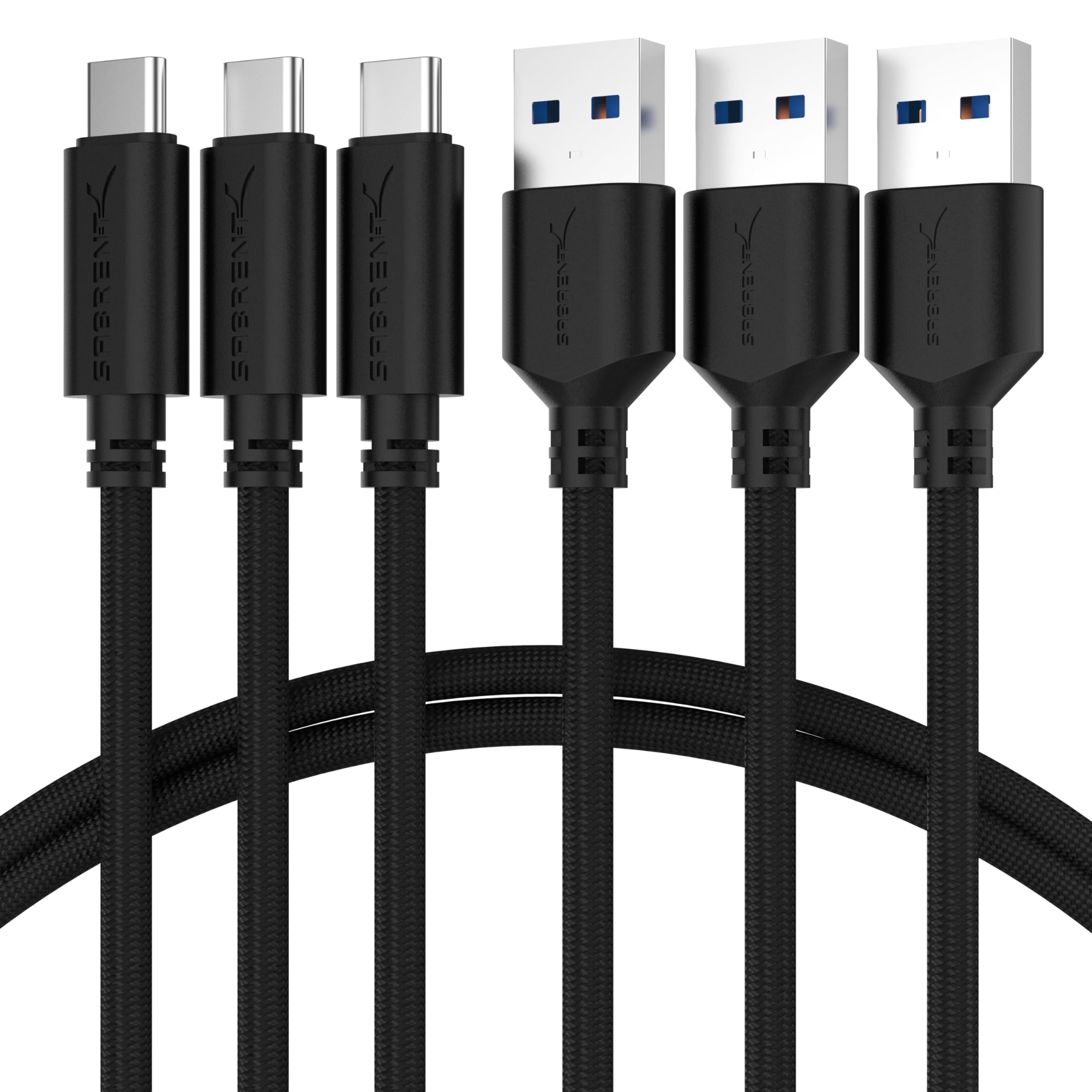
Read Amazon ReviewsSABRENT USB-C to USB-A Cable, 6ft, 3-Pack
Choose the main model when you need a female USB-A extension for an existing USB-A peripheral and want its longer reach.
Consider the three-pack when the devices need USB-C connectors and you want complete cables for several connections rather than one USB-A extension.
- This alternative is a three-pack of 6-foot USB-A-to-USB-C cables, described for USB 3.0 transfer speeds up to 5 Gbps and for charging or connecting devices such as phones, tablets, hard drives, and printers.
- The main cable extends a USB-A connection by 10 feet through a male-to-female layout and is described as compatible with USB 3.0 and USB 2.0 peripherals.
USB Cables alternative
5,000+ ratings
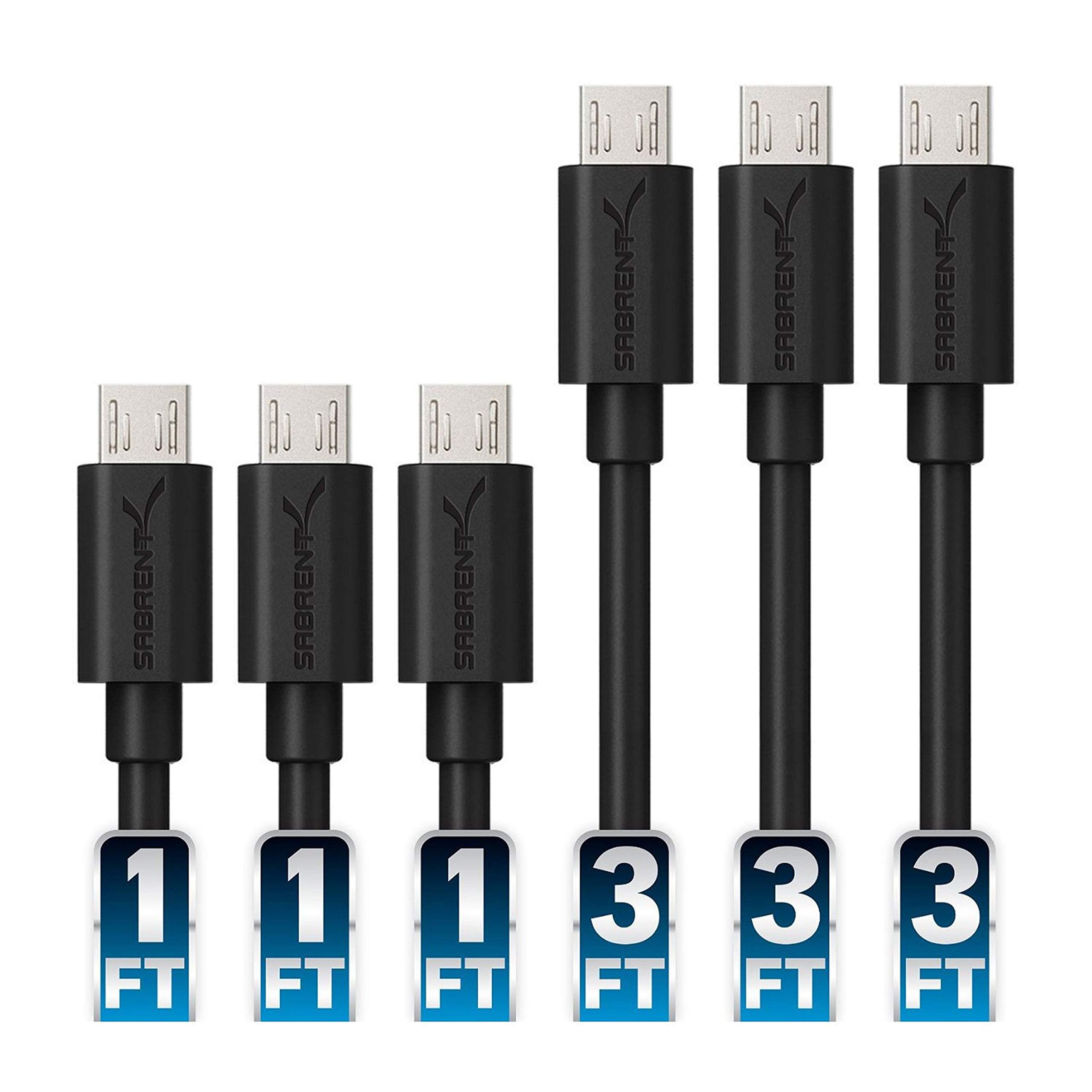
Read Amazon ReviewsSABRENT 6-Pack Micro USB Cables
The main extension is the closer fit when a USB-A peripheral needs additional distance and USB 3.0 capability matters.
Choose the Micro-USB pack when the device itself has a Micro-USB port and shorter cables for charging or USB 2.0 syncing suit the setup.
- This six-pack contains USB-A-to-Micro-USB cables in 1-foot and 3-foot lengths, described for USB 2.0 sync and charging at up to 480 Mbps.
- The main model provides a single 10-foot USB-A male-to-female extension for USB 3.0 and USB 2.0 peripherals.
Is SABRENT Extension Cable Worth It?
The SABRENT USB 3.0 Extension Cable is worth considering when a USB-A peripheral needs more room and a 10-foot run fits the space.
Its male-to-female layout, compatibility with USB 2.0 devices, up-to-5-Gbps USB 3.0 capability, and shielding address the core needs of a basic extension cable.
Check the host and peripheral connectors, route, and expected data path before choosing it. Buyers who need USB-C connections or a shorter, more contained cable should look for a design matched to those requirements.
Your review at a glance
16,000+ ratings
Read Amazon ReviewsSABRENT USB 3.0 Extension Cable
A practical choice for adding up to 10 feet between a computer or Windows tablet and compatible USB peripherals.
- 10-foot cable with a USB-A male connector on one end and USB-A female connector on the other.
- Designed to extend connections between a computer or Windows tablet and USB peripherals.
- Supports USB 3.0 SuperSpeed data transfer rates of up to 5 Gbps.
- Backward compatible with USB 2.0 devices.