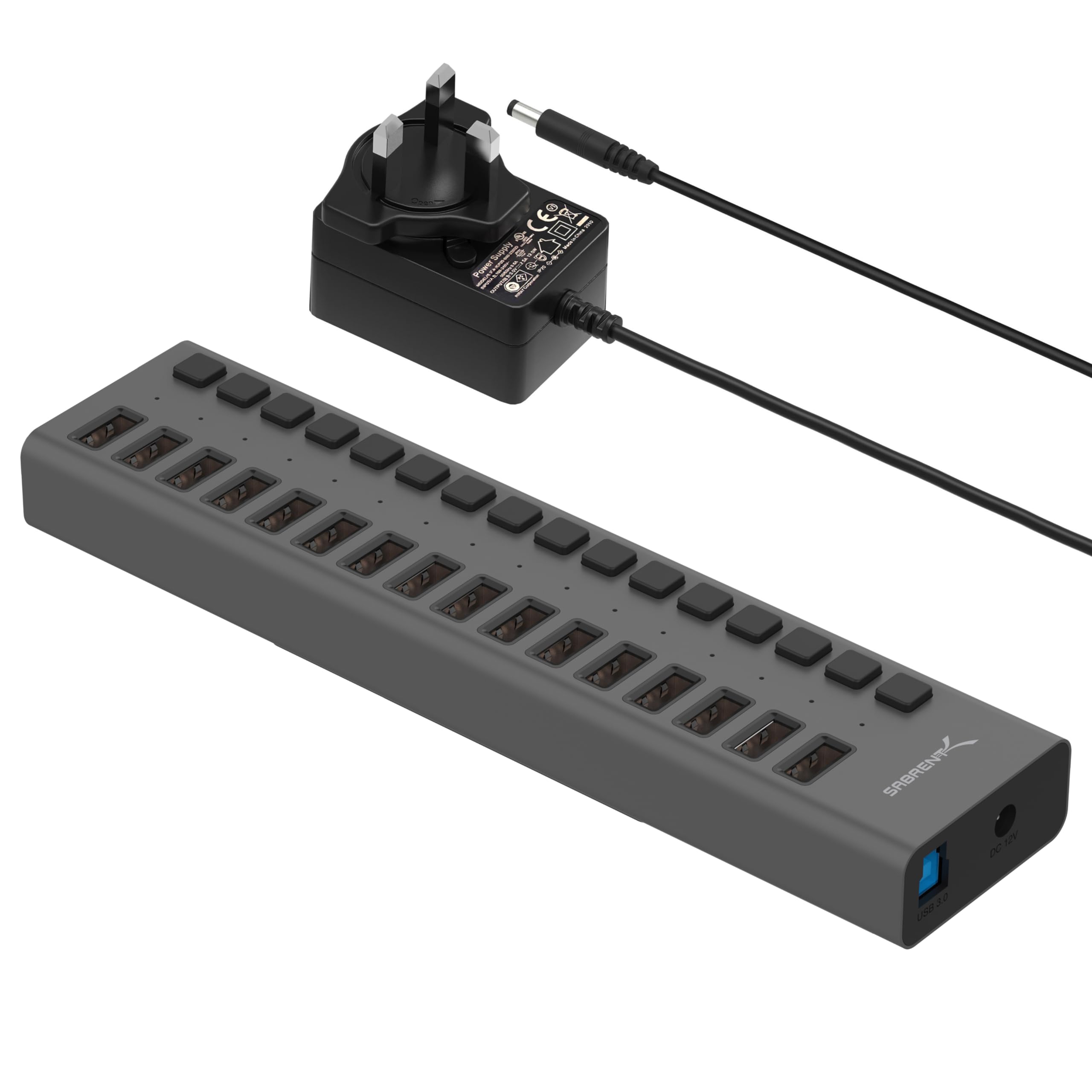
The SABRENT HB-PU16 review centers on a powered USB-A hub built to connect up to 16 peripherals in one place, with an individual switch and blue power light for each port.
It suits a fixed workstation with many devices, while its large port count matters less if you need a compact travel hub or a newer USB-C connection.
SABRENT HB-PU16 Review Summary
The quick verdict
1,000+ ratings
Read Amazon ReviewsSABRENT HB-PU16
A fit for desk setups that need many USB-A connections, individual port switches, and support for both newer and older USB devices.
- Sixteen USB 3.0 Type-A downstream ports for connecting multiple peripherals.
- Supports USB 2.0 and USB 1.1 devices for use with a range of older and newer accessories.
- Data transfers are supported at speeds up to 5Gbps; actual speed depends on the devices and connection.
- Individual power switches let you control each port separately.

Pros
- High port count can consolidate many USB-A connections at a workstation.
- Per-port switches offer a simple way to control connected devices individually.
Consider before buying
- The 16-port design is likely more hub than a small setup needs; consider how many devices you will connect regularly.
- This is a USB Type-A hub, so check your computer’s available ports and connection needs before buying.
Read the full review summary
The main appeal is capacity: sixteen USB 3.0 ports give a desktop setup room for storage devices, card readers, flash drives, and other USB peripherals.
The ports also support USB 2.0 and USB 1.1 devices, so a mix of newer and older accessories can share the hub.
Individual switches let you control ports separately, and the blue LEDs make their power status visible at a glance.
That arrangement is useful for a workstation where devices stay connected, though buyers should check their available desk space and whether their peripherals need USB-A or a different connector.
The buying factors
SABRENT HB-PU16 Scorecard
Editorial scores reflect listed features and buyer fit; they are not laboratory measurements or customer ratings.
Port capacity
Sixteen downstream ports offer substantial room for a peripheral-heavy desktop setup.
Connection versatility
USB 3.0 ports are compatible with USB 2.0 and USB 1.1 devices.
Port control
Each port has its own power switch, allowing individual control.
Status visibility
A blue LED indicates power status at each port.
Data-speed potential
The hub supports transfer speeds up to 5Gbps, depending on the connected devices and setup.
Portability
Its sixteen-port layout is oriented toward a multi-device setup rather than minimal carry.
Key Features and Specifications of SABRENT HB-PU16
- Sixteen USB 3.0 Type-A downstream ports for connecting multiple peripherals.
- Supports USB 2.0 and USB 1.1 devices for use with a range of older and newer accessories.
- Data transfers are supported at speeds up to 5Gbps; actual speed depends on the devices and connection.
- Individual power switches let you control each port separately.
- Blue LEDs indicate the power status of each port.
- Plug-and-play and hot-swappable operation are designed to make connecting compatible peripherals straightforward.
Pros and Cons of SABRENT HB-PU16
Pros
- High port count can consolidate many USB-A connections at a workstation.
- Per-port switches offer a simple way to control connected devices individually.
- Individual blue status lights make port power easy to check.
- Compatibility with USB 2.0 and USB 1.1 devices helps accommodate a mixed-age collection of peripherals.
Consider before buying
- The 16-port design is likely more hub than a small setup needs; consider how many devices you will connect regularly.
- This is a USB Type-A hub, so check your computer’s available ports and connection needs before buying.
- The up-to-5Gbps figure is a maximum, not a guarantee of transfer speed for every device or configuration.
Who Should Buy SABRENT HB-PU16?
Good fit
Consider the HB-PU16 if your desk has a large number of USB-A peripherals and you want them gathered around one hub.
Sixteen ports leave room for storage devices, card readers, flash drives, and other accessories without requiring a separate connection for each one at the computer.
Its individual switches and power indicators add useful hands-on control to that high-capacity layout.
If you often leave several peripherals connected, being able to see each port’s power status and operate its switch separately may make the setup easier to manage.
It is also a reasonable fit for a collection that mixes USB 3.0 gear with USB 2.0 or USB 1.1 accessories.
Before choosing it, count the devices you expect to use at once and confirm that a USB-A hub matches your computer and workspace.
Who should skip it
Skip this model if you only need a few connections or want a small hub for travel; the sixteen-port layout is aimed at a busier setup.
Look for a different connection type if your computer or peripherals require USB-C. Also check the power requirements of your devices if charging is a central part of your intended use.
What the SABRENT HB-PU16 Means for a Desktop Setup
Sixteen ports change how you plan a workstation
A hub with sixteen downstream ports is most useful when several devices remain connected at the same time.
It can bring a group of USB-A peripherals together, but the practical benefit depends on whether your desk and device count justify that capacity.
If you expect to connect only a keyboard, mouse, and one occasional accessory, many of the ports may go unused.
Individual switches add direct control
Each port’s switch allows separate control rather than treating every connected device as one group. That can be helpful when different peripherals are used at different times.
The blue power-status LEDs add a visual cue, which may help when checking the hub without unplugging devices.
Compatibility includes older USB devices
Support for USB 2.0 and USB 1.1 devices makes the hub relevant to mixed setups, such as a desk with newer storage alongside older accessories.
The maximum transfer rate is up to 5Gbps, so buyers moving large files should treat that as a supported ceiling and consider the capabilities of the computer, hub connection, and connected drive.
Check the connection and power needs
The product is a USB 3.0 Type-A hub, so confirm that the host connection works with your computer before ordering.
The description also mentions charging peripherals, but it does not establish the charging behavior for every device; if fast or dedicated charging is important, check that the hub’s power arrangement suits those devices.
Alternatives to SABRENT HB-PU16
USB Hubs alternative
6,000+ ratings
Read Amazon ReviewsSABRENT HB-B7C3 10-Port USB 3.0 Hub
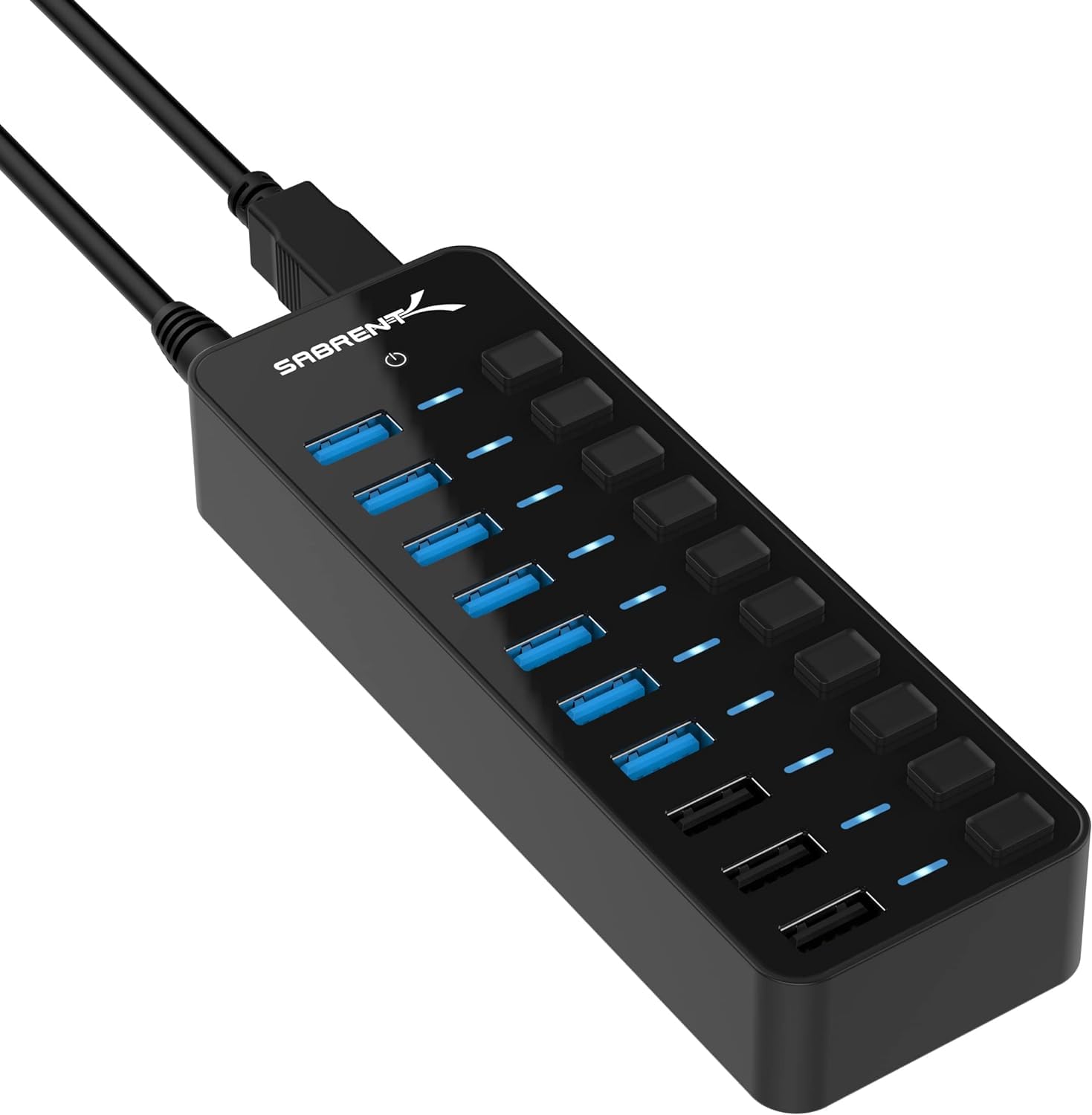
Choose the HB-PU16 if having more data ports is your priority. Consider the HB-B7C3 if seven device connections are enough and its three dedicated charging ports and included adapter better match your setup.
- The HB-B7C3 connects up to seven USB 3.0 devices and includes three dedicated smart-charging ports, individual switches and LEDs, and a 60W power adapter.
- The HB-PU16 provides sixteen USB 3.0 ports, individual switches, and per-port blue power indicators.
USB Hubs alternative
2,000+ ratings
Read Amazon ReviewsSABRENT HB-MC3B 4-Port USB 3.0 Hub
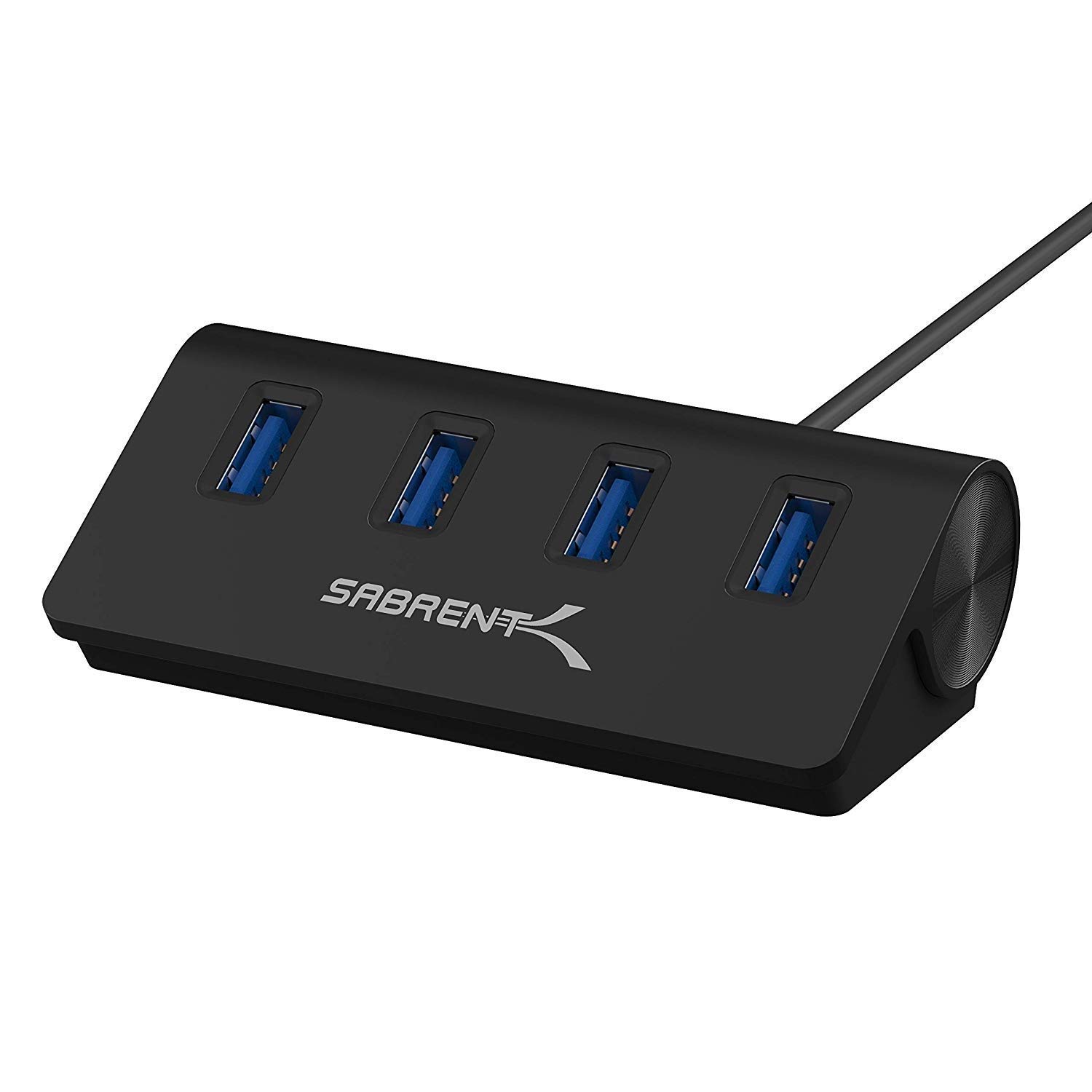
The HB-MC3B is a better fit when a compact four-port expansion is enough or portability matters more than per-port switches. Choose the HB-PU16 when your setup needs substantially more USB-A connections and separate port control.
- The HB-MC3B adds four USB 3.0 ports in a portable aluminum design and includes a 2.5-foot USB 3.0 cable. It supports USB 2.0 and USB 1.1 devices.
- The HB-PU16 is designed for a high-capacity desk setup, with sixteen USB 3.0 ports and a switch for each port.
Is SABRENT HB-PU16 Worth It?
The SABRENT HB-PU16 is worth considering for a fixed workstation that needs many USB-A connections, compatibility with older USB devices, and individual control over each port.
Its strongest case is the combination of sixteen ports, per-port switches, and visible power indicators.
Before buying, make sure the port count suits your actual device load, your computer can connect to a USB-A hub, and the power arrangement meets your peripherals’ needs.
For a small or portable setup, a lower-capacity hub may be a more practical fit.
Your review at a glance
1,000+ ratings
Read Amazon ReviewsSABRENT HB-PU16
A fit for desk setups that need many USB-A connections, individual port switches, and support for both newer and older USB devices.
- Sixteen USB 3.0 Type-A downstream ports for connecting multiple peripherals.
- Supports USB 2.0 and USB 1.1 devices for use with a range of older and newer accessories.
- Data transfers are supported at speeds up to 5Gbps; actual speed depends on the devices and connection.
- Individual power switches let you control each port separately.