These bluedriver obd2 bluetooth scanner reviews focus on a compact plug-in sensor that pairs with an iOS or Android phone for vehicle diagnostics.
BlueDriver combines broader system-code access with live data and repair guidance, aimed at owners who want more context than a basic check-engine reader provides.
BlueDriver Scanner Review Summary
The quick verdict
63,000+ ratings
Read Amazon ReviewsBlueDriver OBD2 Scanner
A strong fit for DIY drivers who want wireless, phone-based diagnostics across more than basic engine codes.
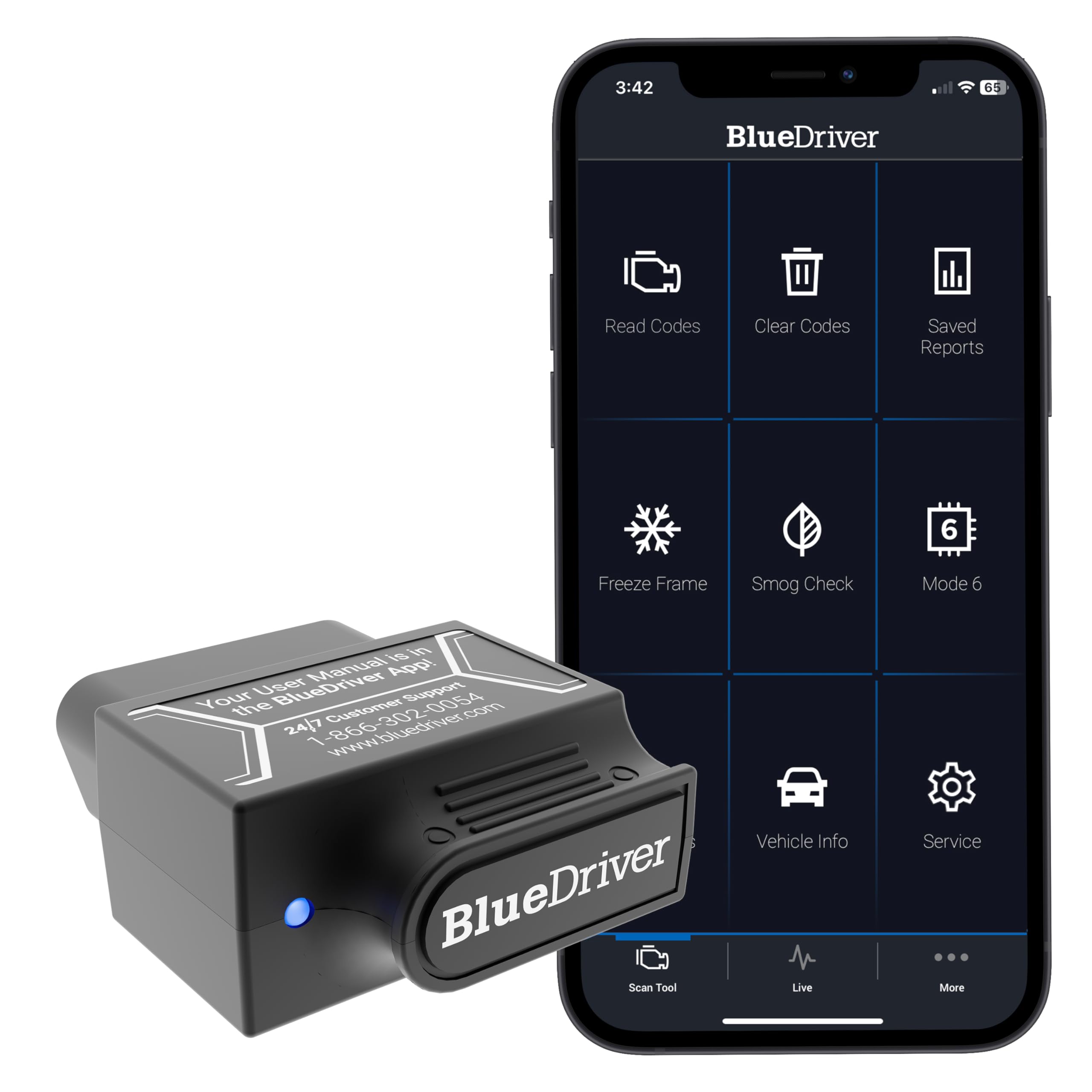
- Bluetooth sensor connects to an iOS or Android phone or tablet through the BlueDriver app.
- Designed for gas-powered vehicles from 1996 or newer sold in the United States, Canada, and Mexico.
- Reads and clears codes for engine, ABS, SRS, airbag, TPMS, and transmission systems, subject to vehicle support.
- Offers live vehicle data, freeze frames, smog readiness checks, and Mode 6 test results.

Pros
- Accesses several diagnostic systems beyond the engine, potentially making it more useful than a basic code reader.
- VIN-matched repair reports add practical context to trouble codes and can help guide the next diagnostic step.
Consider before buying
- It depends on a compatible phone or tablet and app, which may be less appealing to buyers who prefer a dedicated handheld scanner.
- Diagnostic features vary by vehicle, so the general compatibility range does not guarantee that every listed system is supported on a particular car.
Read the full review summary
BlueDriver’s central appeal is the combination of wireless phone connectivity and access to codes for systems such as engine, ABS, SRS, airbag, TPMS, and transmission.
The app also provides live vehicle data, freeze frames, smog readiness, and Mode 6 results, giving a DIY owner several ways to investigate a warning before deciding what to do next.
It is designed for gas-powered vehicles from 1996 onward sold in North America, but vehicle and feature coverage can vary.
It suits drivers comfortable using a phone or tablet at the OBDII port, especially those who value repair reports and ongoing app access without a subscription.
Check the compatibility details for your exact vehicle before buying, particularly if you need a specific system function.
The buying factors
BlueDriver Scanner Scorecard
Editorial scores reflect listed features and buyer fit; they are not laboratory measurements or customer ratings.
Diagnostic breadth
The described coverage extends beyond engine codes to ABS, SRS, airbag, TPMS, and transmission systems, though exact vehicle support can vary.
Repair guidance
Technician-verified reports are matched to the vehicle VIN and include code definitions, possible causes, and confirmed fixes.
Live-data tools
Live data, freeze frames, readiness checks, and Mode 6 results give DIY users several useful diagnostic views.
Setup convenience
The sensor plugs into the OBDII port and connects to a phone or tablet over Bluetooth, avoiding a cable between the reader and screen.
Ongoing cost clarity
Full feature access, app updates, and repair reports are described as included without subscription fees.
Vehicle fit certainty
The broad North American gas-vehicle range is useful, but specific enhanced functions should be checked for the vehicle in question.
Key Features and Specifications of BlueDriver Scanner
- Bluetooth sensor connects to an iOS or Android phone or tablet through the BlueDriver app.
- Designed for gas-powered vehicles from 1996 or newer sold in the United States, Canada, and Mexico.
- Reads and clears codes for engine, ABS, SRS, airbag, TPMS, and transmission systems, subject to vehicle support.
- Offers live vehicle data, freeze frames, smog readiness checks, and Mode 6 test results.
- Provides VIN-matched repair reports with code definitions, causes, and technician-verified fixes.
- The included app access and updates have no subscription fees.
Pros and Cons of BlueDriver Scanner
Pros
- Accesses several diagnostic systems beyond the engine, potentially making it more useful than a basic code reader.
- VIN-matched repair reports add practical context to trouble codes and can help guide the next diagnostic step.
- Wireless phone connectivity keeps the display and controls on a familiar device.
- No subscription fee is required for the described features or app updates.
Consider before buying
- It depends on a compatible phone or tablet and app, which may be less appealing to buyers who prefer a dedicated handheld scanner.
- Diagnostic features vary by vehicle, so the general compatibility range does not guarantee that every listed system is supported on a particular car.
- Its focus is diagnostics and repair information; the supplied feature description does not establish that it performs service resets or bidirectional controls.
Who Should Buy BlueDriver Scanner?
Good fit
Consider BlueDriver if you want to investigate warning lights with more than a basic engine-code reader and are comfortable pairing a sensor with your phone.
The mix of expanded system codes, live data, freeze frames, and readiness information can help you gather useful details before arranging a repair or discussing the issue with a technician.
The repair reports are a notable reason to choose this format: they connect a code to possible causes and confirmed fixes, matched to the vehicle VIN.
That can make the scan results easier to interpret, although a code and a repair report are diagnostic aids rather than a substitute for confirming the underlying fault.
Before buying, check compatibility for your vehicle and the specific systems you care about. This is especially useful if you need ABS, SRS, TPMS, or transmission diagnostics rather than engine-code access alone.
Who should skip it
Choose another style of scanner if you do not want to use a phone or tablet as the interface. BlueDriver’s described setup relies on an app and Bluetooth connection.
It may not be the right fit if you need a particular reset, active test, or other advanced operation. Confirm that the function is supported for your exact vehicle before choosing a diagnostic tool.
BlueDriver Scanner: How Its Features Fit DIY Diagnosis
Broader codes need vehicle-specific support
Reading codes across engine, ABS, SRS, airbag, TPMS, and transmission systems offers more diagnostic reach than engine-only scanning.
However, vehicle compatibility and supported functions can differ, so buyers should verify the coverage they need rather than assume every system is available on every model.
Reports and live data help add context
A code identifies a condition the vehicle has detected; it does not, by itself, prove which part has failed.
VIN-matched repair reports, definitions, possible causes, freeze frames, and live data give owners more context to plan a next step, while diagnosis may still require further checks.
Phone-based scanning trades a dedicated screen for flexibility
The small sensor plugs into the vehicle’s OBDII port while the phone or tablet provides the interface.
That design avoids a tethered handheld screen and can be convenient for owners who already use a mobile device, but it makes app access and a compatible device part of the experience.
The no-subscription model suits occasional as well as repeat use
Included app features and updates without a subscription can make ownership costs more predictable over time.
This may appeal to a DIY owner who wants a scanner available for future warning lights, rather than paying recurring fees to retain access to reports.
Alternatives to BlueDriver Scanner
Battery-focused alternative
4,000+ ratings
Read Amazon ReviewsInnova 5210
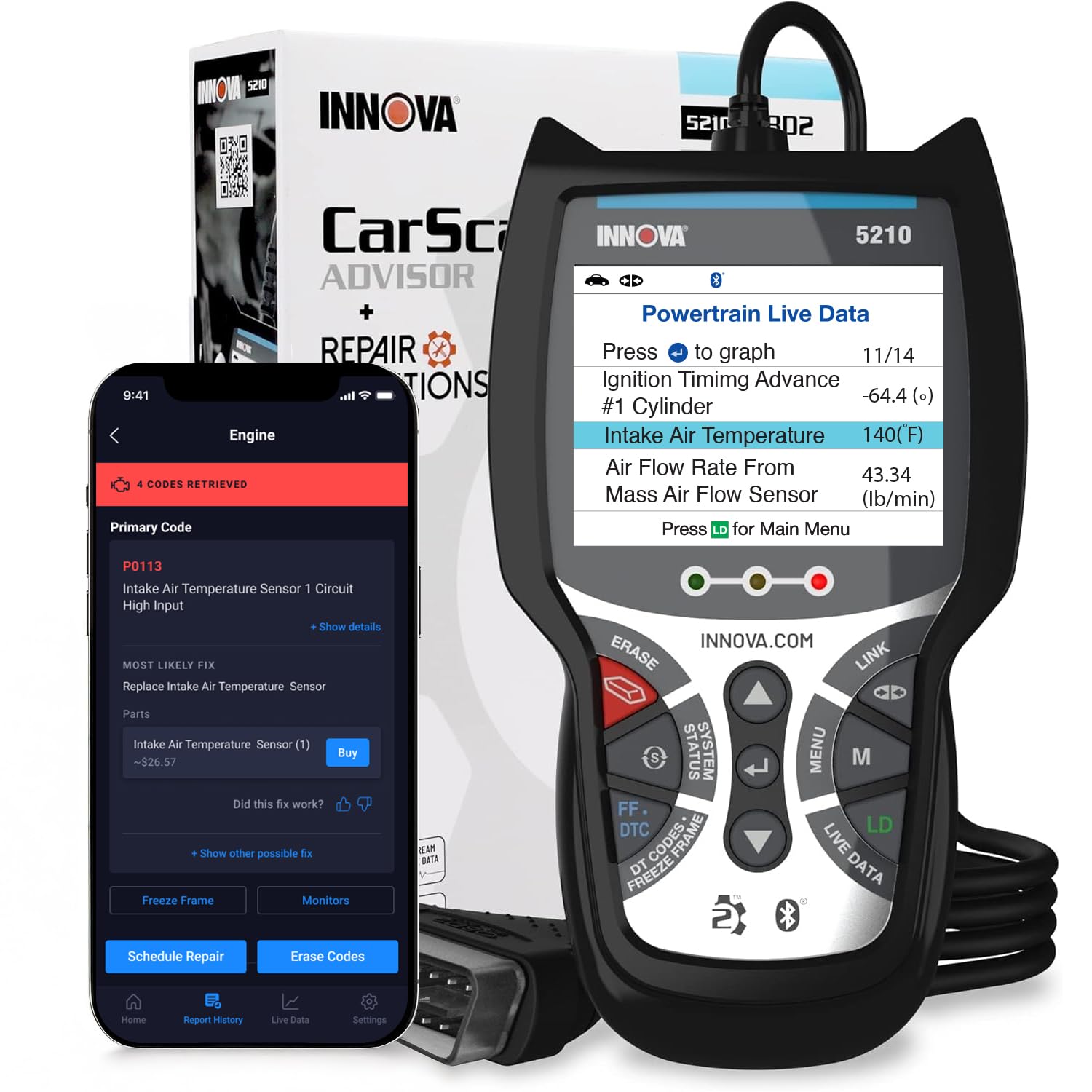
Consider the Innova 5210 if a built-in battery test and oil reset are priorities and you prefer a handheld reader.
BlueDriver is the closer fit if you value phone-based wireless scanning and its described VIN-matched reports across additional systems; verify vehicle coverage for either option.
- The Innova 5210 is a handheld OBD2 scanner with a battery tester, live data, oil reset, and check-engine and ABS code reading; its ABS coverage may vary by vehicle.
- It also pairs with the RepairSolutions2 app for repair guidance.
- BlueDriver emphasizes Bluetooth phone-based access to multiple diagnostic systems, VIN-matched repair reports, and live data.
Code Readers & Scan Tools alternative
700+ ratings
Read Amazon ReviewsInnova 5410
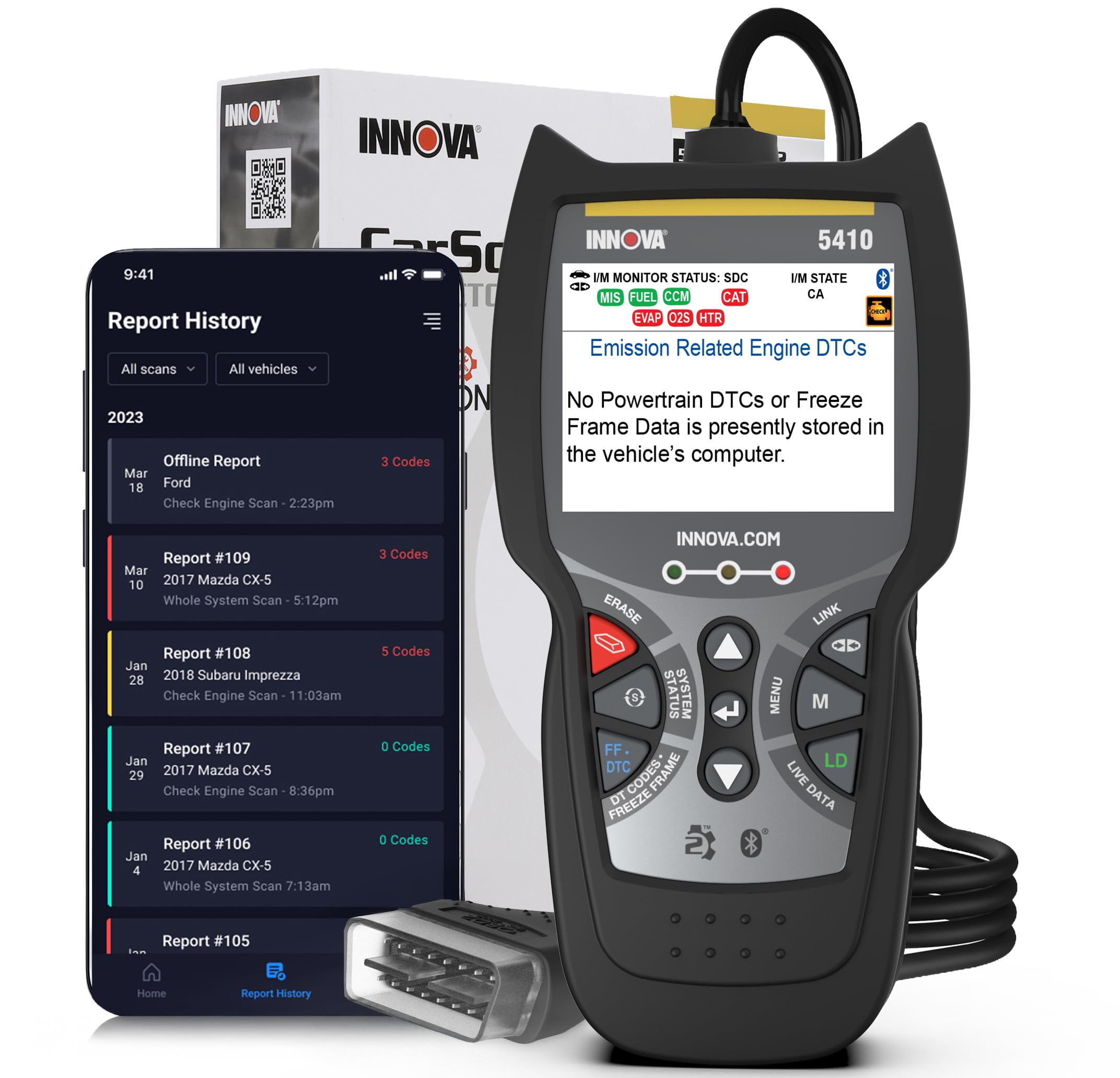
The Innova 5410 is worth comparing if you want a handheld interface and broad system scanning.
BlueDriver better matches buyers who prefer to use a phone and want VIN-matched repair reports; compare supported functions for your vehicle before deciding.
- The Innova 5410 is a handheld scanner that reads engine, ABS, SRS, transmission, and other systems, and displays live sensor data.
- Its coverage is limited to select makes and models, with compatibility checks recommended.
- BlueDriver uses a Bluetooth sensor with a phone or tablet and includes live data, freeze frames, readiness checks, and repair reports.
Is BlueDriver Scanner Worth It?
BlueDriver is worth considering for DIY drivers who want wireless phone-based diagnostics, system-code access beyond the engine, and repair information without a subscription.
Its useful combination of live data and VIN-matched reports gives a scan more context than a code alone.
Buy after checking support for your exact vehicle and the systems you expect to scan.
If you prefer a handheld screen or need a specific service function, compare tools built around those needs; otherwise, BlueDriver offers a well-rounded approach to routine vehicle troubleshooting.
Your review at a glance
63,000+ ratings
Read Amazon ReviewsBlueDriver OBD2 Scanner
A strong fit for DIY drivers who want wireless, phone-based diagnostics across more than basic engine codes.
- Bluetooth sensor connects to an iOS or Android phone or tablet through the BlueDriver app.
- Designed for gas-powered vehicles from 1996 or newer sold in the United States, Canada, and Mexico.
- Reads and clears codes for engine, ABS, SRS, airbag, TPMS, and transmission systems, subject to vehicle support.
- Offers live vehicle data, freeze frames, smog readiness checks, and Mode 6 test results.